When identity verification keeps failing
The rejection notice will not tell you which check failed, and that is by design rather than by neglect. So the way out is to work the list of likely causes in order, starting with the photograph.
The banner says verification was unsuccessful and invites you to try again. It does not say what was unsuccessful. Before you spend another attempt, go through this.
- Read the expiry date out loud. An expired document looks perfect and fails every time.
- Check for glare across the laminate, particularly over the photo and the dates.
- Confirm all four corners sit inside the frame with a margin of background around them.
- Photograph the physical document, not a scan on a screen and not a photocopy.
- Open the saved file at full size and read the smallest print. If you cannot, neither can the reader.
- Type your name exactly as printed on that document, in that order, including the parts you normally drop.
Six items, and most people who are stuck are stuck on one of them. What follows is why the rejection stays vague and what each failure actually looks like from your side of the camera.
Why won't the rejection tell me what went wrong?
Because a precise error message is an instruction manual for the next attempt, and the system cannot tell whether you are a confused customer or someone testing it with a forged document.
Consider what a specific message gives away. "The expiry date could not be read" tells a forger which field to sharpen. "The face did not match" tells them the document itself passed. "Liveness score below threshold" tells them the video was the weak link. Each one narrows the search for whoever is probing the system, and they probe it constantly.
So the message stays generic. That reasoning is inference from how these systems are built, not something platforms publish; what is documented is only that the check failed. On the reading above, the platform accepts that honest users will be annoyed rather than hand feedback to dishonest ones. The obligation underneath all of it comes from FATF recommendations that member countries write into national law. The exchange is not choosing to check you, and it is not free to explain itself in a way that helps evasion.
The practical consequence is a change of method. Do not read the message for clues, because there are none. Work the causes in order of frequency instead. Most people who are stuck are stuck on the first item.
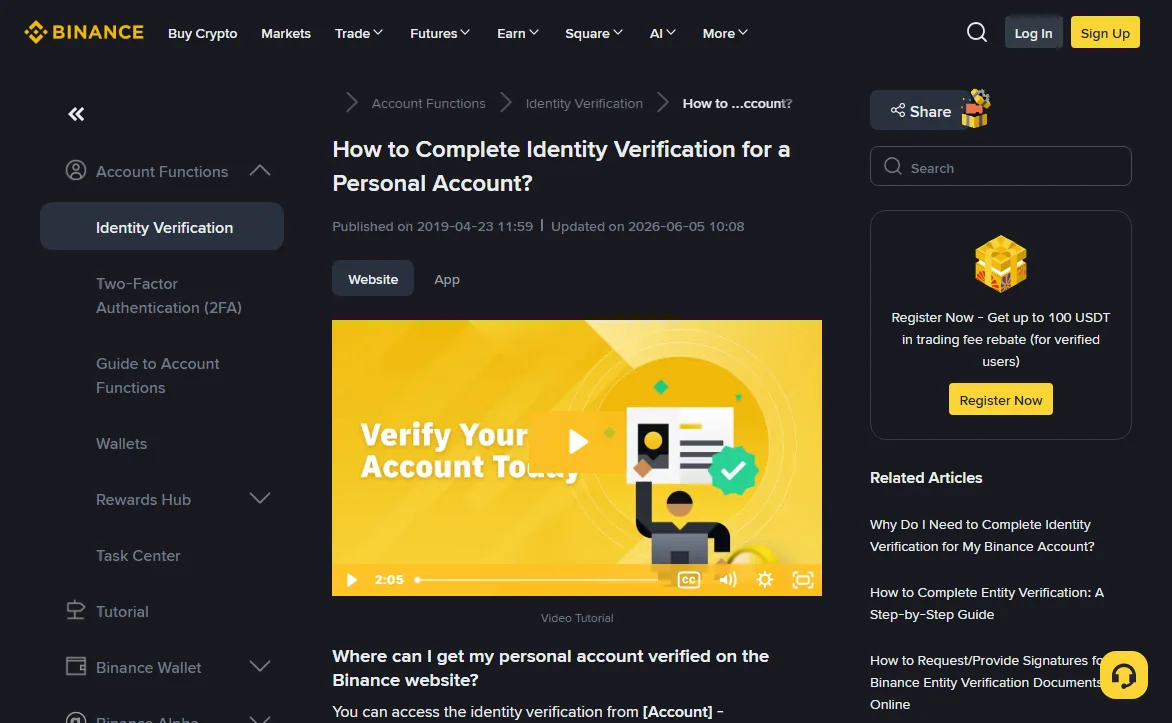
The document photo, cause by cause
Usually one of six things: glare, cropped corners, a photograph of a screen or a photocopy, low light, motion blur, or a document that expired without you noticing.
No platform publishes a breakdown of rejection reasons, so treat that list as an order worth working through rather than a measured ranking. Five of those are photography problems and one is a document problem. None of them feel like errors while you are making them, which is why they persist across attempts. Here is what each looks like from your side of the camera.
| Cause | What you see when it happens | What fixes it |
|---|---|---|
| Glare on the laminate | A white patch over part of the card, often across the photo or the dates. Your eye reads past it. The reader cannot. | Flash off. Stand near a window rather than under a ceiling light. Tilt the document, not the camera. |
| Cropped corners | The document fills the frame edge to edge and looks tidy. One corner is a millimetre outside it. | Leave a margin of background on all four sides. The outline is what the reader uses to detect a crop. |
| A photo of a screen | A crisp-looking image with faint banding or a rainbow sheen, because you shot a scan on your laptop. | Photograph the physical card. Screens are detected by their pixel structure and rejected as a class. |
| A photocopy or printout | Flat grey tones, no depth, security features gone. It looks legible to you. | The original. Holograms and colour-shifting ink are part of what is checked. |
| Low light | The phone brightened the preview so it looked fine. The saved file is grainy and the small print is mush. | Indirect daylight. If you can read the smallest text at full zoom, so can the reader. |
| Motion blur | Sharp at a glance, soft on the fine text. Usual when the card is in one hand and the phone in the other. | Card on a table, phone braced. Take three, pick the sharpest. |
| Expired document | Nothing. It looks perfect and fails every time. | Read the expiry date out loud before you photograph anything. |
The expiry one wastes the most time. People know the passport is valid in the sense that they used it last year, and never check the date because the document feels current. It is the only failure here that better photography cannot fix.
On the machine-readable zone: a passport carries two lines of dense monospaced characters across the bottom of the photo page, and their layout follows an international standard. That is why a passport clears automated checks more reliably than a national ID card, whatever country issued it. If both are valid, use the passport. If the reader keeps failing on an ID card and you have no passport, capture the reverse as well, since on many cards the machine-readable strip is on the back and a front-only shot gives the reader nothing to anchor on.
So if you are choosing between a passport and a national ID card, use the passport. The two lines of machine-readable text at the bottom of the photo page follow an international standard, and the automated reader handles them the same way regardless of which country issued the book. National ID cards vary enormously in layout and are read less consistently. That is the whole of the reason, and it holds even where the card is the document you carry every day.
And look at the saved file at full size before you upload it, not the camera preview. Two seconds of that catches most of the table above.
Some phone cameras apply a beautification or document-scan filter by default. That processing strips exactly the texture the fraud check looks for, and Binance’s own instructions for the selfie step say not to use filters. Turn those modes off and shoot plain, even if the scan mode produces a file that looks cleaner to you than the plain shot.
How exactly should I type my name?
Exactly as it is printed on the document you are submitting, in the same order, with the same spelling, including any part you would normally leave out.
The check is not clever. It compares the string you typed against the string the reader extracted from the document, and has no opinion about what your name really is. If they differ, it fails, and it fails in a way that looks like a document rejection even though the document was fine.
Four situations produce the mismatch, and all four are ordinary ways of having a name.
- Family name first. In much of East Asia and in Hungary, the family name is written before the given name, and documents print it that way. Forms designed elsewhere ask for "first name" and "last name" as though the order were universal. Put the family name in the family-name field regardless of where it sits on the page, and mirror the document's order if the form offers only one full-name box.
- Multiple given names. If the document lists three given names and you use one, all three go in. People drop the middle ones out of habit. The reader does not know they are optional to you.
- Patronymics and second family names. Russian and much of Central Asia print a patronymic as a distinct element. Spanish and Portuguese naming carries two family names, and shortening to one is normal socially and wrong here.
- Transliteration. A name written natively in Cyrillic, Greek, Arabic, Chinese or Korean carries a romanised version chosen by the issuing authority. It may not match how you spell yourself in Latin script, or the version on your bank card. The document version wins.
The instinct to correct the document is strong and you should resist it. If your passport romanises your name in a way you find dated, that is still the string to type, character for character, including a transliteration you dislike and any accents the document omits. The check is a comparison against the document, not a test of what your name really is. Most platforms let you set a separate display name afterwards in account settings, which is where the version you actually use belongs.
Accents are the fiddly edge. Some documents print them, some strip them, and the reader generally works from the machine-readable zone, which strips them. Match the printed line, and if the form rejects a character, drop the accent rather than substituting a different letter. Date of birth belongs to the same family of problems: watch the field order, because a date printed day-month-year read into a form expecting month-day-year produces a silent mismatch whenever both readings are valid.
Why does the liveness check keep failing?
Because it is measuring whether a live human face is physically present in adequate light, and the usual culprits are darkness, reflective glasses, anything on your head, and moving too slowly through the prompts.
A liveness check is not judging your appearance. It is distinguishing a person from a printed photograph held up to a lens, a screen replaying a video, or a mask. Narrow job, narrow set of things that defeat it.
Light. Front-lit, even, indirect. A window behind you makes your face a silhouette and the check has nothing to work with. A single overhead lamp carves shadows under the brows and nose that break the geometry. A window or lamp in front of you at face height is close to ideal.
Glasses. Take them off. Lens reflections sit directly over the eye region, which is the most information-dense part of the frame for these systems.
Headwear. Hats, hoods and sunglasses go. Coverings worn for religious reasons are normally accommodated, but the capture generally needs the face itself unobstructed; the exact requirement belongs to the platform running the check, so read its own identity-verification help page rather than assuming. Either way, arrange the shot deliberately rather than hoping.
Pace. This one surprises people. If the prompt asks you to turn your head or blink, do it at normal speed. Moving carefully and slowly, which is what most of us do when a machine is instructing us, reads as an attempt to hold a photograph steady through the motion, and the check has a time budget a slow turn can exceed.
Also: plain background, phone at eye level rather than below your chin, no other faces in frame. If the check has failed twice, change the room rather than the pose. Lighting matters most and it is the variable people change least.
Acceptable proof of address, and the four ways it fails
A recent document from a recognised institution showing your full name and your full residential address, with the issue date and the issuer visible. On Binance the age limit depends on your country: its proof-of-address guide (updated 2026-04-20) gives six months for countries it does not list separately, and shorter windows, down to two months, for the ones it does.
Address proof only appears at the higher verification tiers, which is why plenty of people never meet it. When it does, it fails for reasons that are bureaucratic rather than technical.
Binance’s list of acceptable documents includes utility bills such as electricity, water or sewerage, internet-provider statements, landline, internet or TV bills, bank or credit card statements, investment account statements, and stamped or signed bank reference and address-confirmation letters. The same guide says mobile phone bills are not accepted except in a few jurisdictions and photocopies are not accepted at all. Every document must carry your name exactly as on your ID, the address you entered, the date of issue, the issuer and something identifying the issuer, such as a logo or website. A statement from the exchange itself, or anything you printed yourself, is not a proof of address.
The four ways it fails that are worth knowing:
- Too old. The window is set per country — on Binance six months unless your country is listed with a shorter one — and it runs from the issue date printed on the document rather than from when you downloaded it.
- Name mismatch. The bill is in a partner's or a parent's name, or a shortened version of yours. It has to carry the same name as your identity document.
- Address mismatch. The document says Flat 4 and you typed Apartment 4, or the postcode is formatted differently. Copy the address off the document rather than typing it from memory.
- Cropped or partial. The institution's name, the issue date, your name and the address all have to be visible together. Photographing one page of a folded paper bill loses at least one of those.
A PDF downloaded straight from your bank is the strongest version of this document, because it has not been through a camera at all, and Binance’s guide recommends PDF. Colour scans and screenshots are accepted there only if the first page is fully visible and every detail is readable.
Is there a limit on verification attempts?
Binance’s current verification FAQ does not publish the number of attempts, and identical resubmissions are unlikely to get a different result, so change something real between attempts.
Platforms limit attempts for the same reason they keep the message vague: an unlimited retry loop is a brute-force channel, and publishing the number would tell someone probing the system how much room they have. Where a limit exists it is normally undocumented, and hitting it puts a cooling-off period between you and your next try, which turns a twenty-minute problem into a next-day one. Since you cannot see the counter, plan as though it is small.
So each attempt has a cost and should be spent deliberately. Before you resubmit, name what is different this time. New photograph in better light. Passport instead of ID card. Name typed from the document rather than from habit. Glasses off. If you cannot name the change, you are about to waste an attempt.
Resubmitting the same file after a few minutes is an easy way to burn through the allowance. The automated check tends to give the same answer to the same file, so a second try with nothing changed is unlikely to be the one that works. Do not count on landing a different, more lenient reviewer.
If you are already locked out, wait the full period. Do not open a second account to get around it. Multiple personal accounts are a terms violation on the major venues, and the sanctions those terms reserve run as far as restricting or closing the accounts involved while it is investigated — worse than being a day behind schedule. What happens in any individual case is the platform’s call, and its own terms of use are the binding text.
What to write in a support ticket when verification keeps failing
Open a support ticket, attach a clear statement of what you have already tried, and then accept that human review takes as long as it takes.
There is a real category of case automation cannot clear. Recently changed legal names where the document and the supporting paperwork disagree. Documents from countries whose formats the reader handles poorly. Faces that have changed substantially since the document photo. Dual nationality with two passports carrying differently transliterated names. Refugee travel documents and other non-standard issuances. None of these will resolve by trying again.
When you open the ticket, give the reviewer something to work with. State which document type you submitted, roughly when, how many attempts you have made, and what changed between them. Name the oddity plainly if there is one. A ticket saying "verification failed, please fix" gets a template reply. A ticket saying "national ID from country X, machine-readable strip on the reverse, four attempts, name includes a patronymic" gets read by someone who can act.
Then wait. This is the part people least want to hear: Binance’s verification FAQ says submitted documents are usually reviewed within 48 hours and that some cases take longer, and it does not advertise a way to buy priority. Support can confirm a case is open and can sometimes tell you which document is being questioned, which is worth one message. Chasing the ticket daily is unlikely to help, and opening a second ticket about the first risks splitting the case across two handlers rather than speeding it up.
Document requirements vary by country and change without notice, so the exchange's own help centre is the authority. For Binance that is the public support library, with the terms of use behind it. For background on why any of this exists, Investopedia on know your client and anti-money-laundering rules is a reasonable primer.
One last thing. Do not send money to an account that has not cleared verification. A balance you cannot withdraw is far worse than an empty account you cannot use yet. If you are already in that position, the guide on withdrawal limits explains what a lower tier still lets you move.