Binance Convert fee: how far the quote sits from the spot price
Convert lists no fee, so the cost has to be inside the amount it offers you. Here is the order-book figure that amount has to beat, read for five pairs on 2026-10-18, and a one-minute method for checking any quote yourself.
You converted 1,000 USDT into bitcoin, the screen said no fee, and the bitcoin that arrived is worth a little less than 1,000 USDT at the price on the chart. The missing part is the cost of the conversion. Binance prices it into the amount you receive instead of listing it as a fee, so to see it you have to compare that amount with what the order book would have given you at the same moment.
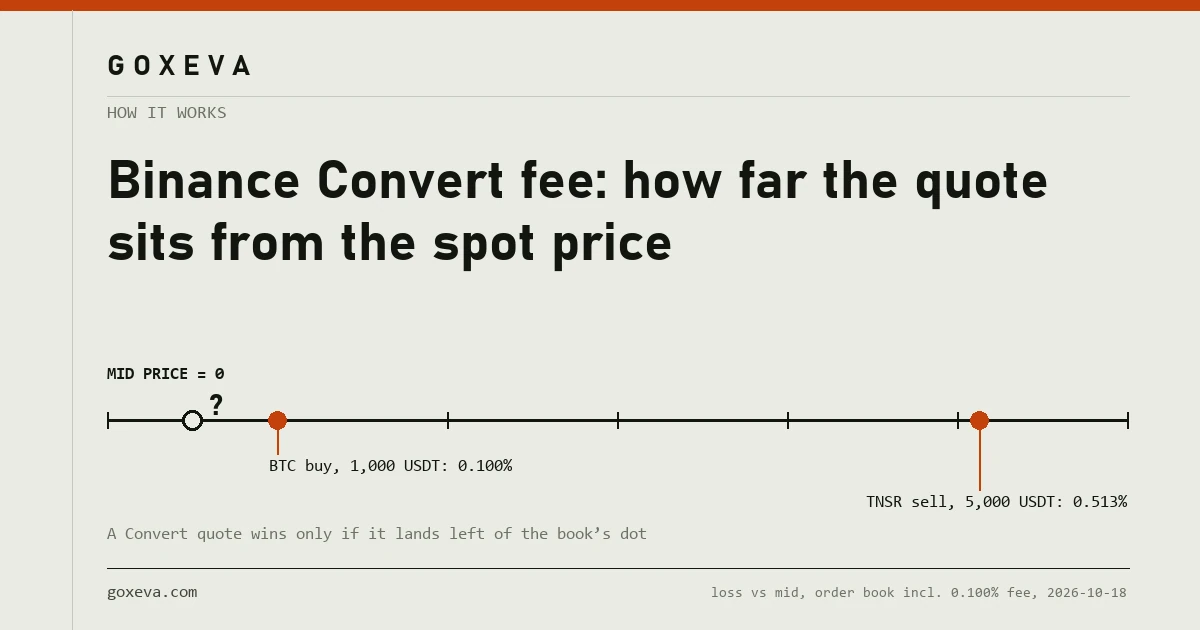
On 2026-10-18 at 08:48 UTC, buying bitcoin with 1,000 USDT on the spot book, at the regular 0.100% taker fee, would have left you holding bitcoin worth 0.100% less than you paid, measured at the mid-price. A Convert quote is cheaper than the book only if it loses less than that. For a thin coin sold in size the bar was five times higher. Below: where those figures come from, and how to produce the same comparison for your own pair before you press confirm.
Where the cost sits when the fee line says zero
In the exchange rate. Convert gives you a price and an amount to receive; whatever separates that amount from the value of your coins at the market mid-price is what the conversion cost you, whether or not anything was labelled a fee.
An order-book trade has two visible costs and one you have to work out. The fee appears as its own line. The spread, the gap between the best bid and the best ask, sits in your fill price. If the order is large enough to use up the best price and move onto the next levels, that slippage sits in the fill price too. Add the three together and you have the all-in cost of the spot route.
Convert collapses those into one number, the amount you will receive. Nothing is hidden in the bad sense: the amount is shown before you confirm. What you lose is the breakdown. To know whether the deal was good you need a reference price, and the cleanest one is the midpoint between the best bid and the best ask on the matching spot pair, read at the moment you got the quote.
What Binance's Convert FAQ actually promises
Two pages matter here, and both were read on 2026-10-18. The FAQ on the Convert page answers its first question, “Are there any trading fees?”, with: “There are no fees for using Binance Convert.” It adds that the quoted amount shown in Market mode is the amount you will receive.
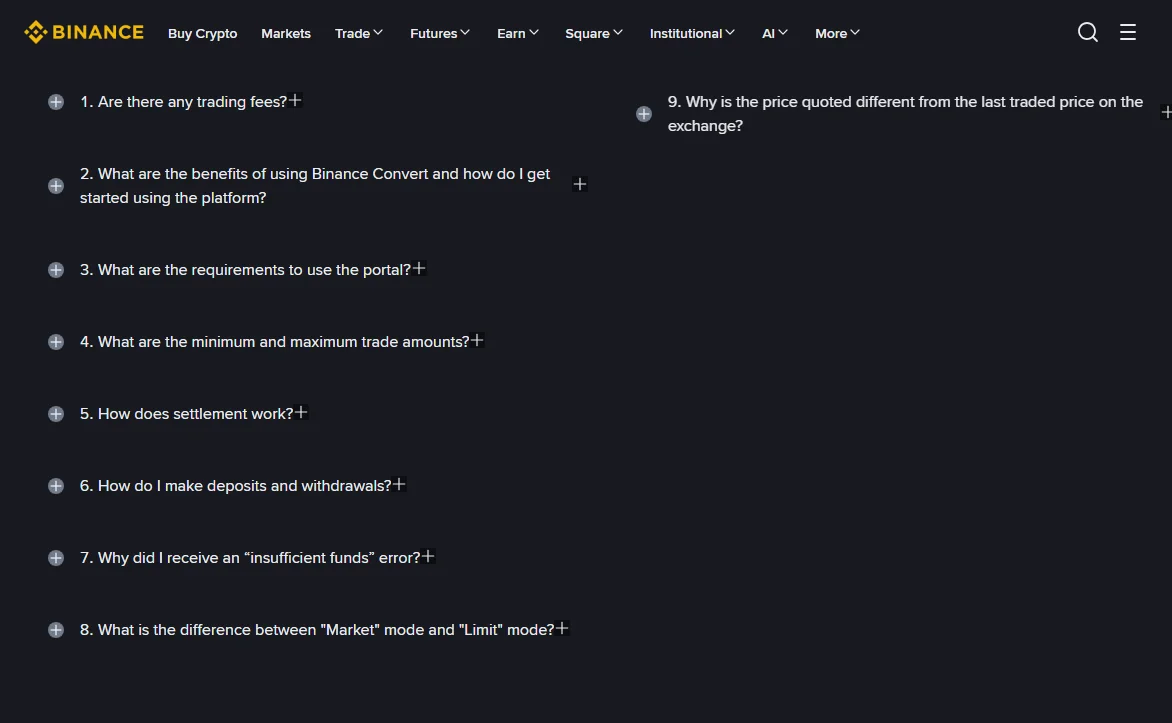
Question 9 on the same page is the more useful one. Asked why the quoted price differs from the last traded price, Binance answers that “Last traded prices on the exchange do not include trading fees or factor in the size of your trade and are not live prices.” Read that carefully, because it tells you how to make a fair comparison. Do not hold a Convert quote up against the ticker. Hold it up against the live book, with the trading fee added and with your actual size walked through the levels. The table in the next section does exactly that.
The longer support-centre FAQ on Binance Convert (shown as updated 2026-04-21 when read) words it slightly differently: Convert pricing “does not include traditional trading fees”, and quoted prices “may vary from time to time and from the price available on other markets.” Neither page uses the word spread, and neither states a margin. So nobody outside Binance can give you a fixed Convert cost. The gap has to be measured, quote by quote.
What the same trade cost on the order book
For bitcoin and ether at any everyday size, almost exactly the 0.100% taker fee, because the spread was a fraction of a basis point. For a mid-sized coin the book added a few hundredths of a per cent as orders grew. For thin coins it added several tenths.
The figures below come from one snapshot of Binance's public spot order books, taken through Binance's public market-data service at 2026-10-18 08:48:09 UTC (the same depth data any visitor can request; the endpoints are documented in Binance's spot API reference). Each row walks the stated amount through the book level by level, then takes off the 0.100% Regular User taker fee, which the spot fee schedule still showed that day. The percentage is how much value you lost against the mid-price.
| Pair and direction | Amount | Best bid / best ask | All-in cost vs mid |
|---|---|---|---|
| BTC/USDT, buy | 1,000 USDT | 81,715.20 / 81,715.21 | 0.100% |
| BTC/USDT, buy | 50,000 USDT | same | 0.100% |
| ETH/USDT, sell | 2,000 USDT | 2,409.93 / 2,409.94 | 0.100% |
| LINK/USDT, buy | 1,000 USDT | 11.943 / 11.944 | 0.104% |
| LINK/USDT, sell | 50,000 USDT | same | 0.152% |
| SUSHI/USDT, buy | 1,000 USDT | 0.2169 / 0.2170 | 0.195% |
| SUSHI/USDT, buy | 10,000 USDT | same | 0.292% |
| TNSR/USDT, buy | 100 USDT | 0.0314 / 0.0315 | 0.259% |
| TNSR/USDT, sell | 5,000 USDT | same | 0.513% |
Bitcoin is the dull row, and usefully so. Its spread was one cent on a price above 81,000, and fifty thousand dollars did not reach past the best ask. Every bitcoin conversion at that moment had the same bar: lose less than 0.100% and Convert wins, lose more and the book wins.
TNSR shows the other end. A one-tick spread on a price of three cents is already about a third of a per cent, so even 100 USDT paid 0.259% all in. Selling 5,000 USDT of it emptied the best bid and filled the rest one tick lower, losing just over half a per cent. Against a bar like that, a Convert quote has room to come out ahead.
One practical warning about the book side. These are market-order figures. Rest a limit order instead and you skip the spread, but at the Regular User level you still pay 0.100%, because the maker rate equals the taker rate there; the mechanics are in the guide to maker and taker fees, and the level-by-level walk itself is drawn out in the guide to market-order slippage.
Measure your own Convert quote against the book
The check takes about a minute. The support FAQ says Binance “will lock this quoted price for a short period” while you review it, without giving a length, so if the preview refreshes, read the new figure and the book again together.
- Get the preview, not just the rate. On the Convert screen, choose what you pay and what you receive, type the amount, and open the preview. Write down the amount of coin you will receive. The headline rate is rounded; the amount to receive is what lands in your account.
- Open the matching spot pair straight away. For USDT into BTC that means BTC/USDT. Read the best bid (top of the green side) and the best ask (bottom of the red side), and take the midpoint: add them and halve.
- Value both sides at the mid. Paying in USDT, the value given is simply the amount; the value received is the coin amount times the mid. Selling a coin, reverse it: value the coins you give at the mid, and the USDT you receive is already in USDT.
- Turn the difference into a percentage. Convert cost = (value given − value received) ÷ value given × 100.
- Compare it with the book's all-in figure for your size. On a deep pair at Regular User level, 0.100%. On anything thinner, walk your amount through the visible ask levels (or bid levels if selling), or use the table above as a guide to how quickly the book cost grows.
Step 2 is where the check usually goes wrong. The big number at the top of the trading page is the last trade, which Binance's own FAQ warns against comparing with. Use the two prices on either side of the gap in the order book.
Two quotes worked through, one each way
The book figures in both examples are the 08:48 UTC readings above. The Convert amounts are assumptions chosen to show the arithmetic. They were not taken from a live preview, because a preview needs a signed-in account and account screens are kept off this site.
Buying bitcoin with 1,000 USDT
Mid-price: (81,715.20 + 81,715.21) ÷ 2 = 81,715.205 USDT.
The spot route first. 1,000 USDT buys 1,000 ÷ 81,715.21 = 0.01223762 BTC at the ask. The taker fee comes out of the coin you receive: 0.01223762 × 0.999 = 0.01222539 BTC. That figure is your target. Any Convert preview showing more than 0.012225 BTC beats the book; anything below it loses.
Now suppose the preview says you will receive 0.012210 BTC. At the mid that is worth 0.012210 × 81,715.205 = 997.74 USDT, so the conversion cost (1,000 − 997.74) ÷ 1,000 = 0.226%. The book cost 0.100%. On this quote Convert would have been 0.126 percentage points dearer, about 1.26 USDT on a thousand.
Selling 5,000 USDT worth of TNSR
Mid-price: (0.0314 + 0.0315) ÷ 2 = 0.03145 USDT. Five thousand USDT at the mid is 158,982.5 TNSR.
Selling that many on the book took all 31,582.4 TNSR bid at 0.0314 and the rest at 0.0313, an average of 0.0313199 USDT per token. Proceeds before the fee were 4,979.31 USDT; after 0.100%, 4,974.33 USDT. Cost against the mid: 0.513%.
Suppose a Convert preview for the same tokens offers 4,982.00 USDT. That is (5,000 − 4,982) ÷ 5,000 = 0.36% below the mid, and 7.67 USDT more than the book would have paid. Here Convert is the better trade, provided the pair appears in Convert at all; the support FAQ has a question on finding which token pairs Convert supports.
On a 100 USDT bitcoin buy, the whole question is worth roughly ten cents in either direction, and the simplicity of Convert is worth more than that. Above a few thousand USDT, or on any coin whose spread you can see is wide, take the minute: the difference starts to be counted in whole dollars.
When Convert comes out cheaper
Convert can only beat the book when the book itself is expensive, so look for these situations.
- Thin pairs at size. Where the spread is wide and the levels are shallow, as with the TNSR sell above, the book's all-in cost climbs well past 0.100% and a Convert quote has room underneath it.
- Amounts below the book's minimum. The spot pairs above all carried a 5 USDT minimum order value in Binance's public exchange data on 2026-10-18. Convert has its own minimum and maximum per pair, which its FAQ says you can see before entering an amount. For dust and very small balances, Convert may be the only route.
- Two coins with no direct market. Going from one altcoin to another through USDT on the book means two fees and two spreads. A single Convert quote replaces both legs, so the bar it has to beat is roughly double.
One side effect is worth knowing without being a reason to choose. Binance's support FAQ states that Convert trades count towards spot volume for the VIP programme, except old-to-new token migration swaps. The first VIP step needs 1,000,000 USD of 30-day volume plus a BNB balance, as set out in the section on how the tiers are gated, so for most readers this changes nothing.
Convert's Limit mode and the zero-fee promise
Convert also has a Limit mode. The Convert FAQ says that once a limit order executes, the assets are converted “exactly at the specified limit price”, again with no fee. That makes the cost easy to know in advance: you pick the rate, and the open question is whether it fills.
The same answer carries a condition worth reading twice: limit orders “may not be completed even if the market price reaches or crosses your limit price momentarily.” A spot limit order resting on the book fills when the market trades through your price, at the 0.100% maker rate for a regular account. A Convert limit order may need the market to go further than your price before it fills, and Binance does not say how much further. If you need a fill at a particular level, the spot limit order is the predictable choice. If you are happy to wait and the fee matters more to you than certainty, the Convert limit order is a reasonable one.
Running the same check on another exchange
Nothing in the method depends on Binance. Any “instant convert”, “swap” or “simple buy” screen that shows an amount to receive can be measured the same way: take the mid of that exchange's own order book for the same pair, value both sides at the mid, and compare the loss with the exchange's own taker fee plus the depth your size would use. Read the fee from that exchange's published schedule on the day, since rates differ between platforms and change over time. Some quick-buy screens also add a separate visible fee on top of the price; if one does, take it off the value received before you compute the percentage.
What to do next: to get the book side of the comparison for your own amount and rate, the trading fee calculator gives the fee in money and the price move needed to cover a round trip. Put its figure beside the Convert preview and the decision is made.